Your Phone.
On Your Desktop.
Vysor casts and commands your Android and iOS devices directly from your computer. Built for developers, support teams, and power users who demand speed and reliability.
What is Vysor?
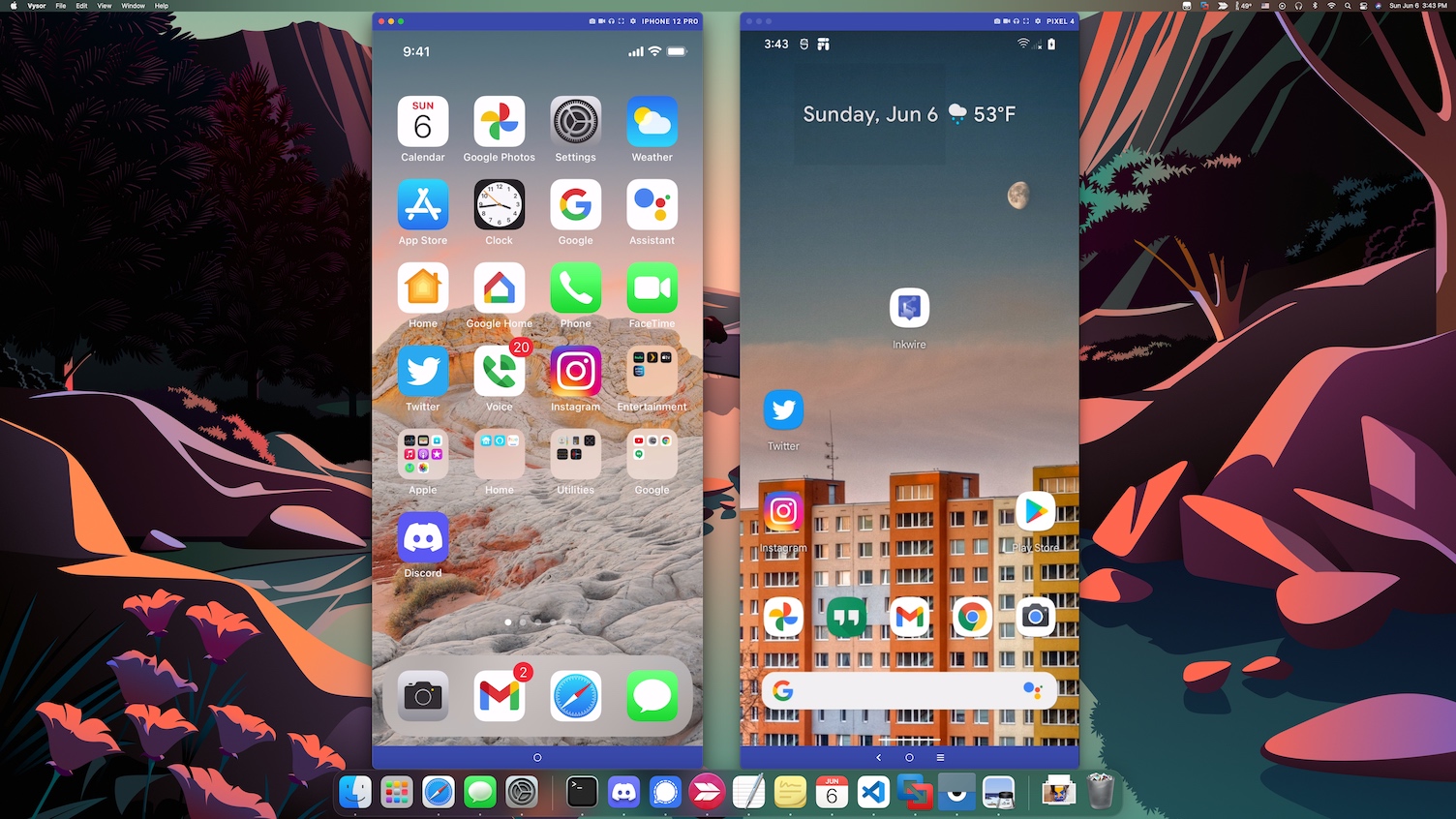
Vysor is a powerful screen casting and remote command application. It places a live, interactive window of your Android or iOS device directly onto your Windows, macOS, or Linux desktop.
Real-Time Casting
View your phone screen on your PC with minimal delay. USB mode offers near-instant response times ideal for gaming and development.
Full Desktop Command
Use your keyboard to type messages at full speed and your mouse to click, scroll, and navigate apps as if the phone were native.
Cross-Platform
Works natively on Windows 10/11, macOS, and Linux. Also available as a Progressive Web App directly in your Chrome browser.
Key Capabilities at a Glance
Everything you need to manage your mobile device from the comfort of your desktop.
Screen Casting & Remote Command
Cast your Android or iOS screen to your desktop and command it with full keyboard and mouse integration.
Learn moreKeyboard & Mouse Integration
Type at full speed, navigate apps, and use your mouse for precise interactions without touching your device.
Learn moreWireless & USB Connectivity
Choose the reliability of USB or the freedom of Wi-Fi. Premium users enjoy seamless wireless casting without cables.
Learn moreScreenshots & Screen Recording
Capture instant screenshots or record your screen sessions directly to your desktop for tutorials and demos.
Learn moreDrag & Drop File Transfer
Move photos, videos, and documents between your PC and device instantly with simple drag and drop actions.
Learn moreTeam Sharing
Share your device across the office or across the globe. Remote ADB access and screen sharing via simple link.
Learn moreReal-World Scenarios
See how professionals across industries rely on Vysor every day.
Developers
Ditch the Android Emulator. Test and debug apps on real physical hardware with the same integration you expect from an emulator. Vysor provides ADB bridge access, smooth frame rates, and direct device interaction without the overhead of virtual machines.
IT Support Teams
Guide customers remotely without complex remote desktop setups. With Team Sharing, send a simple link to view and command a device anywhere in the world. Reduce resolution time and improve customer satisfaction with visual, hands-on support.
Power Users
Manage notifications, respond to messages with a full keyboard, transfer files instantly, and run mobile apps on a big screen. Vysor transforms your phone into a native desktop application, eliminating the constant context switching that kills productivity.
See Vysor in Action
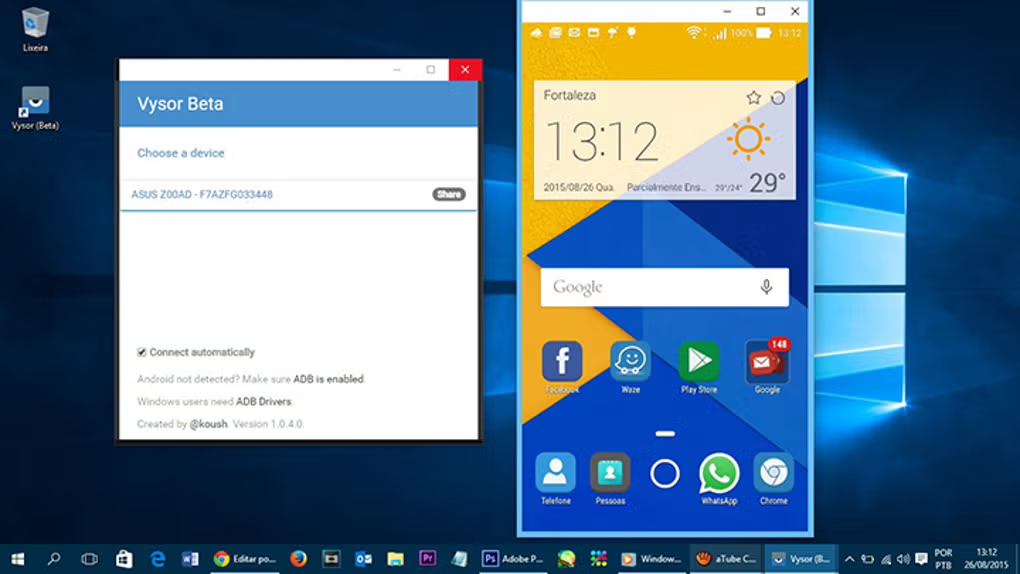
A clean, intuitive interface that puts your mobile screen front and center. Command apps, play games, manage files, and share your screen without ever touching your device.
How We Compare
| Feature | Vysor | Scrcpy | ApowerMirror | AirDroid |
|---|---|---|---|---|
| Setup Time | Under 2 Min | 10+ Minutes | 5 Minutes | 5 Minutes |
| GUI Interface | Yes | Command Line | Yes | Yes |
| Wireless Casting | Premium Included | Free via ADB | Limited Free | Limited Free |
| iOS Support | Yes | No | Yes | Yes |
| Remote Sharing | Team Share | No | No | Limited |
| File Drag & Drop | Premium Included | No | Yes | Yes |
| Pricing | $2.50/mo | Free | $29.95/yr | $23.99/yr |
Comparison based on publicly available features as of 2026. Data may vary by version and platform.
Loved by Professionals
"If you want to control your phone from your workstation, there is NOTHING like Vysor. Performs well, is updated frequently. Highly recommended."
Verified Premium User
"It has saved me time from being frustrated with looking at my phone and laptop at the same time. A huge workflow enhancement."
Developer, San Francisco
"The USB connection is reliable, fast, and smooth. For mobile developers, Vysor is indispensable for testing on real hardware."
Android Developer
"I have been using and paying for 4 years now. Several of my friends are now fans. The Premium version is absolutely worth it."
Longtime Subscriber
"Team Share is excellent for IT support and team presentations. Easy screen sharing and remote control with just a link."
IT Support Manager
"Setup took under two minutes. No terminal needed. Just plug in and go. Perfect for non-technical users like me."
Business Professional
"If you want to control your phone from your workstation, there is NOTHING like Vysor. Performs well, is updated frequently. Highly recommended."
Verified Premium User
"It has saved me time from being frustrated with looking at my phone and laptop at the same time. A huge workflow enhancement."
Developer, San Francisco
Trust & Transparency
Vysor is built by ClockworkMod, a trusted name in Android development since 2009. We believe in transparency, security, and ethical software practices.
No Malware
Clean, signed binaries with no hidden payloads or tracking.
Secure Pairing
Encrypted connections between your devices with trusted device lists.
Transparent
Clear privacy policy and data handling practices you can verify.
Fair Pricing
No hidden fees. Lifetime license available. Free tier for basic use.
Frequently Asked Questions
Quick answers to common questions about Vysor screen casting software.
? Is Vysor free to use? +
? Does my Android device need to be rooted? +
? Can I cast wirelessly without a USB cable? +
? Is Vysor safe? My antivirus flagged it. +
Ready to Command Your Phone from Your Desktop?
Download Vysor today and experience the most reliable Android and iOS screen casting solution available. Free version included.